
Caller Name & SMS Talker4.2.2 - Google Play
You'll be able to see results in few seconds.
Publisher Description
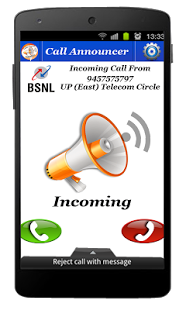


Caller Name & SMS Talker speaks out name of the caller on Incoming call or SMS , in situations like you are driving and the Phone is in your pocket, or another room, so that you can identify who is calling you without looking your phone screen.
Features:
--Minimizes ringtone volume and then speaks name of the caller
--Turn off caller name alert feature if Phone is in silent mode.
--Speaks out full content of SMS along with sender name or numbers.
--Will re-announce the caller information, while not pick up incoming call
--Lots of customization option for different category for calling, messaging & more!
Note:
New Caller Name Announcer Comes With Customize Options, You Can Set For Which Contacts You Want To Ring the Bell Or Silence Mode.
Speaker Intensity Also Customization in Setting Menu.
Speak Caller Name Announcer is very easy to use for everyone have android phone with TTS (text to speech) enabled.
If you have any suggestion to improve caller name announcer , please send us mail about feature & improvements you think improves performance more.
About Caller Name & SMS Talker
The company that develops Caller Name & SMS Talker is Studioapps. The latest version released by its developer is 4.2.2.
To install Caller Name & SMS Talker on your Android device, just click the green Continue To App button above to start the installation process. The app is listed on our website since 2019-02-13 and was downloaded 0 times. We have already checked if the download link is safe, however for your own protection we recommend that you scan the downloaded app with your antivirus. Your antivirus may detect the Caller Name & SMS Talker as malware if the download link to call.name.announcer is broken.
How to install Caller Name & SMS Talker on your Android device:
- Click on the Continue To App button on our website. This will redirect you to Google Play.
- Once the Caller Name & SMS Talker is shown in the Google Play listing of your Android device, you can start its download and installation. Tap on the Install button located below the search bar and to the right of the app icon.
- A pop-up window with the permissions required by Caller Name & SMS Talker will be shown. Click on Accept to continue the process.
- Caller Name & SMS Talker will be downloaded onto your device, displaying a progress. Once the download completes, the installation will start and you'll get a notification after the installation is finished.
Program Details
System requirements
Download information
Pricing
Version History
version 4.2.2
posted on 2019-02-13
Bug Fix.
version 2.0.1
posted on 2016-08-25
New In Version 2.0.1,+Global silent Mode Added For Conferences etc.,+Volume Intensity Customised Now.,New in Caller Name & SMS Talker Version 1.1,+User Can Set Speed Of Announcing Name & Number According to Their Choice.,+User Can Filter Contacts For Announcing Name & Messages.,+Notification Easily Remove On User Demand.,+Increase In Performance & UI Experiences Ever.
version 1.0
posted on 2014-08-09
Several fixes and updates
Disclaimer
Official Google Play Link
We do not host Caller Name & SMS Talker on our servers. We did not scan it for viruses, adware, spyware or other type of malware. This app is hosted by Google and passed their terms and conditions to be listed there. We recommend caution when installing it.
The Google Play link for Caller Name & SMS Talker is provided to you by apps112.com without any warranties, representations or guarantees of any kind, so access it at your own risk.
If you have questions regarding this particular app contact the publisher directly. For questions about the functionalities of apps112.com contact us.
